10 Best AI Tools for Content Creators in 2026 (Free & Paid)
Content creation in 2026 runs on AI. From writing and image generation to video editing and SEO — these 10 AI tools are what serious creators are using daily to produce more, earn more, and work less.
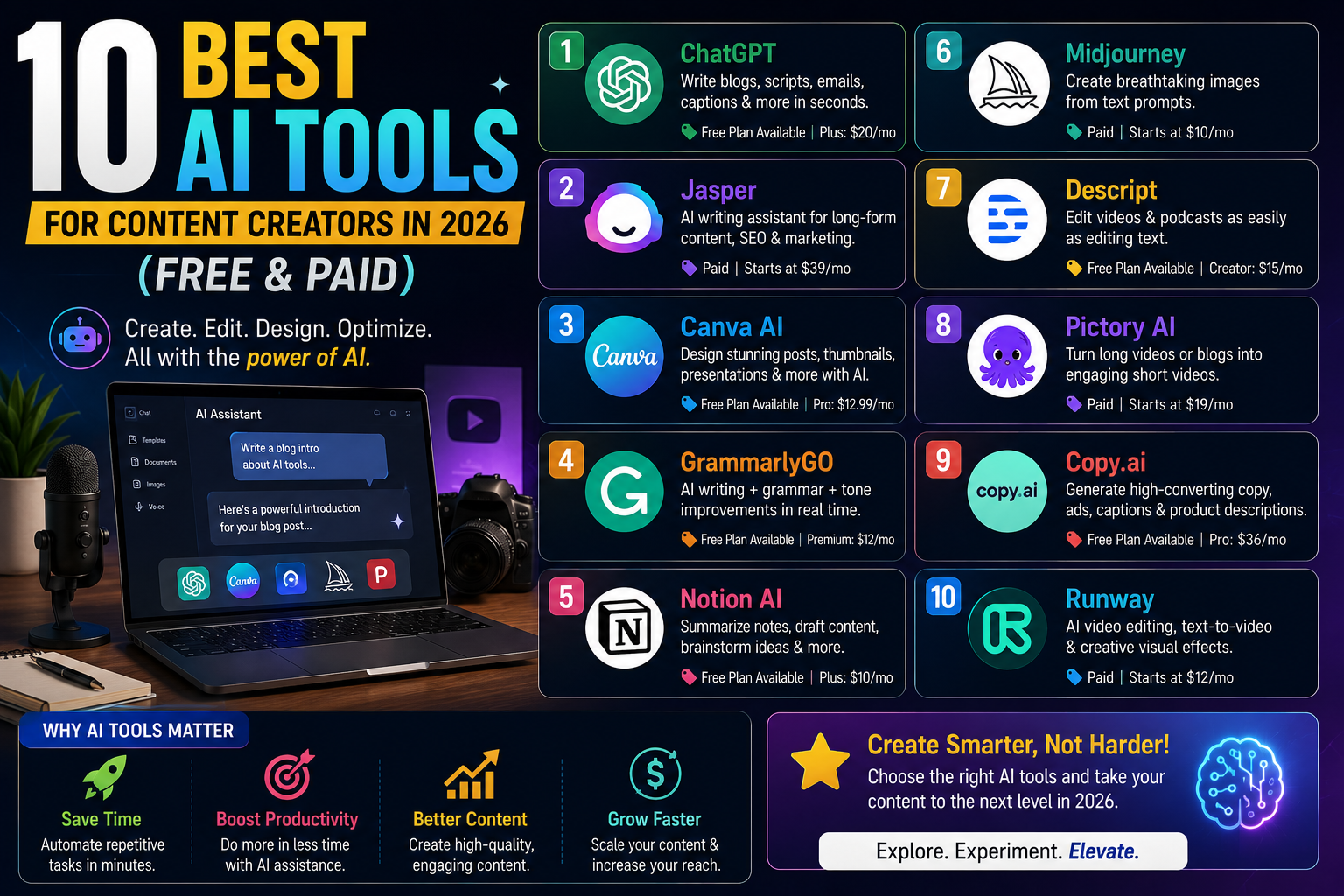
Content creation has always been hard work. Researching, writing, designing, editing, scheduling, optimising — the list of tasks involved in producing a single piece of quality content is long enough to fill a full-time job description. In 2026, AI has not eliminated that work, but it has compressed it dramatically for the creators who know which tools to use and how to use them.
This guide covers the ten AI tools that are genuinely changing how content creators work in 2026. Not ten tools that sound impressive in a tweet — ten tools that handle real daily tasks, save real hours, and produce real results. Each one is being actively used by bloggers, YouTubers, social media managers, and solo creators who are building serious content businesses.
Quick Comparison: 10 Best AI Tools for Content Creators
| # | Tool | Best For | Free Plan | Paid From |
|---|---|---|---|---|
| 1 | ChatGPT | Writing, research, brainstorming | ✅ Yes | $8/month |
| 2 | Canva AI | Design, thumbnails, social posts | ✅ Yes | $15/month |
| 3 | ElevenLabs | AI voice, audio narration | ✅ Yes | $5/month |
| 4 | Runway ML | AI video editing and generation | ✅ Yes | $15/month |
| 5 | Perplexity AI | Research with cited sources | ✅ Yes | $20/month |
| 6 | Jasper AI | Long-form content at scale | ❌ Trial only | $39/month |
| 7 | Notion AI | Content planning, organisation | ✅ Yes | $10/month |
| 8 | OpusClip | Short-form clips from long video | ✅ Yes | $15/month |
| 9 | Surfer SEO | SEO-optimised content writing | ❌ Paid only | $89/month |
| 10 | Buffer | Social media scheduling | ✅ Yes | $6/month |
1. ChatGPT — The All-Purpose Content Brain
Best for: Writing, research, brainstorming, editing, repurposing content
Free plan: Yes (GPT-5.5, limited) | Paid from: $8/month
For content creators, ChatGPT remains the most versatile tool available in 2026. It drafts blog posts, rewrites paragraphs in different tones, generates headline variations, creates social media captions from long-form articles, outlines video scripts, and answers research questions with enough depth to replace hours of reading. The Custom GPT feature lets you train a version of ChatGPT on your brand voice, your audience, and your content style — so the output consistently sounds like you rather than a generic AI. For creators who publish frequently, the compounding time savings across an entire content calendar are substantial.
Best use case for beginners: Paste in your raw notes or bullet points and ask ChatGPT to turn them into a structured first draft. Then edit the draft yourself — you will spend 20 minutes editing instead of 2 hours writing from scratch.
| Pros | Cons |
|---|---|
| Most versatile all-purpose AI tool | Free plan has message limits |
| Custom GPTs for your brand voice | Can generate inaccurate facts |
| Connects to 20+ external apps | Needs human review before publishing |
2. Canva AI — Professional Visuals Without a Designer
Best for: Thumbnails, social posts, presentations, infographics, video clips
Free plan: Yes | Paid from: $15/month
Canva was already one of the most used tools on the internet before it added a serious AI layer. In 2026, its AI features generate images from text prompts, remove backgrounds in one click, resize any design to every social platform format instantly, animate static graphics into short video clips, and suggest design improvements based on what performs well in your category. For creators who need consistent visual output across multiple platforms — Instagram, YouTube thumbnails, Pinterest pins, blog header images — Canva eliminates the need for a graphic designer at the early stage entirely. The brand kit feature ensures consistent colours, fonts, and logos appear across every piece you produce.
| Pros | Cons |
|---|---|
| Zero design experience needed | Advanced features behind paywall |
| AI image generation built-in | Brand kit limited on free plan |
| Resize for all platforms instantly | Less control than Photoshop/Figma |
3. ElevenLabs — Studio-Quality AI Voice
Best for: Podcasts, voiceovers, video narration, audio content
Free plan: Yes (10,000 characters/month) | Paid from: $5/month
If you create video or audio content, ElevenLabs produces the most realistic AI-generated voice available in 2026. You type a script, select from dozens of voice styles, and download studio-quality narration in seconds — without a microphone, without a soundproof room, and without hours of recording and editing. Its voice cloning feature lets you create a consistent branded voice for your content that sounds the same across every video, ad, or podcast episode you produce. Creators building content in multiple languages will also find ElevenLabs transformative — it supports 32 languages with natural-sounding output that avoids the robotic cadence of older text-to-speech tools.
| Pros | Cons |
|---|---|
| Most realistic AI voices available | Free plan: 10K chars/month limit |
| Voice cloning for brand consistency | Audio only — no video integration |
| Cheapest paid plan ($5/month) | Voice cloning needs careful ethical use |
4. Runway ML — AI Video Editing and Generation
Best for: Video content, B-roll generation, editing automation, visual effects
Free plan: Yes (limited credits) | Paid from: $15/month
Video is the highest-performing content format in 2026 across almost every platform. Runway ML brings AI to the most time-consuming parts of video production. It removes backgrounds from footage automatically, generates B-roll clips from text descriptions to fill gaps in your edit, applies consistent colour grades, removes unwanted objects from frames, and produces short video clips from a single still image or text prompt. For solo creators who produce video without a production team, Runway dramatically reduces the editing time per video — particularly for short-form content where the gap between idea and published post needs to be as small as possible.
| Pros | Cons |
|---|---|
| AI video generation from text | Free credits run out quickly |
| Background removal on footage | Learning curve for first-time users |
| Object removal from video frames | Heavy processing — needs good internet |
5. Perplexity AI — Research That Cites Its Sources
Best for: Fact-checking, research, competitor analysis, content ideas
Free plan: Yes | Paid from: $20/month
Every piece of quality content requires research, and bad research produces inaccurate content that damages trust. Perplexity AI is purpose-built for research — every answer it gives comes with cited, clickable sources. For content creators, this is invaluable: you can verify the accuracy of any stat, explore a topic you are unfamiliar with, identify the most-cited sources in your niche, and understand what questions your audience is actually asking. Its Spaces feature lets you build a persistent research workspace for a specific content topic that updates with fresh sources automatically — ideal for creators in fast-moving niches like tech, finance, or health.
| Pros | Cons |
|---|---|
| Every answer has clickable sources | Less creative than ChatGPT |
| Real-time web search built-in | Spaces feature needs Pro plan |
| Best for research-heavy workflows | Not ideal for writing or content creation |
6. Jasper AI — Long-Form Content at Scale
Best for: Blog posts, ad copy, email newsletters, brand voice consistency
Free plan: Trial only | Paid from: $39/month
Jasper is the AI writing tool built specifically for marketing and content teams that need to produce at volume without losing brand consistency. Its Brand Voice feature ingests your existing content, learns your tone and style, and applies it to everything it generates. For bloggers managing multiple websites or content managers handling several clients, Jasper's ability to switch between brand voices on demand is its standout feature. It also integrates with Surfer SEO, which means the content it generates is optimised for search while it is being written rather than needing a separate editing pass afterwards.
| Pros | Cons |
|---|---|
| Brand Voice feature is industry-leading | No meaningful free plan |
| Surfer SEO integration built-in | Expensive for solo creators |
| Best for high-volume content teams | Overkill for casual bloggers |
7. Notion AI — Content Planning and Organisation
Best for: Editorial calendars, idea management, meeting notes, SOPs
Free plan: Yes | Paid from: $10/month
Notion AI turns your content workspace into an intelligent, searchable knowledge base. For creators who struggle with the organisational side — keeping track of content ideas, managing publishing schedules, storing research, documenting processes for team members — Notion AI dramatically reduces the overhead. Paste a transcript from a research call and ask it to extract every content idea and action item. Draft a content brief for a new topic in seconds. Summarise a long research document into three key points. The AI lives inside every page, which means you do not need to switch between applications to access it.
| Pros | Cons |
|---|---|
| All-in-one docs, notes, projects, wiki | Learning curve for new users |
| AI built into every page | AI features limited on free plan |
| Hundreds of free content templates | Mobile app less powerful than desktop |
8. OpusClip — Short-Form Video From Long Content
Best for: Repurposing long videos into Reels, Shorts, TikToks
Free plan: Yes (limited) | Paid from: $15/month
Repurposing long-form content into short clips is one of the highest-return activities a content creator can do in 2026. OpusClip analyses a long video, identifies the most engaging segments using virality scoring, automatically adds captions, reframes the footage for vertical format, and produces ready-to-publish clips for Instagram Reels, YouTube Shorts, and TikTok. A single 60-minute video can generate 15 to 20 short clips in under ten minutes. For creators who already produce long-form content on YouTube or podcasts, this is one of the fastest paths to doubling your content output without additional recording time.
| Pros | Cons |
|---|---|
| Turns 1 video into 15-20 clips automatically | Free plan has limited monthly videos |
| Auto-captions and virality scoring | Quality varies by source video |
| Vertical reframing for all platforms | Needs good source content to clip from |
9. Surfer SEO — AI That Optimises Content for Google
Best for: Blog SEO, keyword optimisation, content scoring
Free plan: No | Paid from: $89/month
Writing great content and writing content that ranks on Google are two different skills. Surfer SEO bridges them by analysing the top-ranking pages for any keyword and telling you exactly what your content needs — how long it should be, which terms to include, how many headings to use, and what related topics to cover. Its Content Editor gives you a real-time score as you write, so you can see whether you are on track for ranking before you publish. For bloggers who depend on search traffic for revenue, Surfer is one of the highest-ROI tools available despite its price point — a single well-ranking article can generate far more than the monthly cost.
| Pros | Cons |
|---|---|
| Real-time SEO scoring as you write | No free plan — expensive for beginners |
| Integrates with Jasper and Google Docs | Overkill until you have consistent traffic |
| Highest ROI for serious bloggers | Results take weeks to show after publishing |
10. Buffer — AI-Assisted Social Media Scheduling
Best for: Social media scheduling, cross-platform posting, analytics
Free plan: Yes (3 channels, 10 posts per channel) | Paid from: $6/month
Consistency is the most important factor in social media growth, and manual posting is the biggest enemy of consistency. Buffer lets you schedule posts across Instagram, Facebook, X/Twitter, LinkedIn, Pinterest, and TikTok from a single dashboard. Its AI assistant suggests the best posting times for each platform based on your audience's engagement patterns, generates caption variations, and repurposes existing content into platform-specific formats. For content creators managing multiple platforms — which is every serious creator in 2026 — Buffer eliminates the daily task of logging into each platform separately and ensures your content goes out at the times when your audience is most active.
| Pros | Cons |
|---|---|
| Free plan covers 3 platforms | Analytics limited on free plan |
| AI suggests best posting times | No Instagram Story scheduling on free |
| Cheapest paid plan ($6/month) | Cannot reply to comments from Buffer |
How to Choose the Right Combination for Your Workflow
Ten tools is too many to use simultaneously if you are starting out. The most efficient approach is to start with the two tools that address your biggest current time drain:
- If writing is your bottleneck → Start with ChatGPT
- If design is your bottleneck → Start with Canva AI
- If video is your bottleneck → Start with Runway ML + OpusClip
- If research is your bottleneck → Start with Perplexity AI
- If consistency is your bottleneck → Start with Buffer + Notion AI
- If SEO rankings are your bottleneck → Start with Surfer SEO
Master those first. Then add tools as your content operation grows. The creators who build the most sustainable businesses in 2026 are not the ones using every AI tool available — they are the ones who have built a tight, repeatable system around a small number of tools they understand deeply and use consistently.
Frequently Asked Questions
What is the best AI tool for content creators in 2026?
ChatGPT is the most versatile all-purpose AI tool for content creators in 2026, handling writing, research, brainstorming, and content repurposing. For visual content, Canva AI is the most widely used. For video creators, OpusClip and Runway ML deliver the highest time savings. The best tool depends on which part of your workflow takes the most time.
Are AI content creation tools free in 2026?
Most leading AI tools for content creators offer meaningful free plans in 2026. ChatGPT, Canva AI, ElevenLabs, Perplexity, Notion AI, Buffer, and OpusClip all have free tiers. Only Surfer SEO and Jasper require a paid subscription from day one. A complete AI content workflow can be built for free or under ₹2,000 per month using these tools' free plans.
Can AI tools replace content creators in 2026?
No. AI tools in 2026 are production assistants, not creative directors. They handle the mechanical, repetitive parts of content creation — drafting, resizing, scheduling, captioning — but the strategy, unique perspective, community building, and editorial judgement that makes content worth following still comes from the creator. AI speeds up the work; it does not replace the person doing it.
Which AI tool is best for YouTube creators in 2026?
YouTube creators benefit most from combining OpusClip (repurposing long videos into Shorts), ElevenLabs (voiceovers and narration), Canva AI (thumbnails), ChatGPT (script outlines and descriptions), and Buffer (scheduling community posts). This combination covers the full YouTube workflow from production to promotion.
Sources: OpenAI — ChatGPT | Canva AI | ElevenLabs | Runway ML | Perplexity AI


Comments
0Be the first to leave a comment.